Developers often debate which operating system makes coding smoother and faster. On desktops and laptops, Windows and Linux each have strengths: Windows is familiar and supports popular IDEs (especially for .NET or game development), while Linux offers an open source environment, powerful command line tools, and native support for many programming languages. According to a 2025 StackOverflow survey, Windows was still the most common development OS (used by 56.7% of developers personally and 49.5% professionally), with Ubuntu Linux the next (27.8%). Notably, about 16–17% of developers reported using Windows Subsystem for Linux (WSL) to mix both environments. In practice, many developers use both: Windows for familiar GUI apps and Linux for servers, scripting, or cloud work.
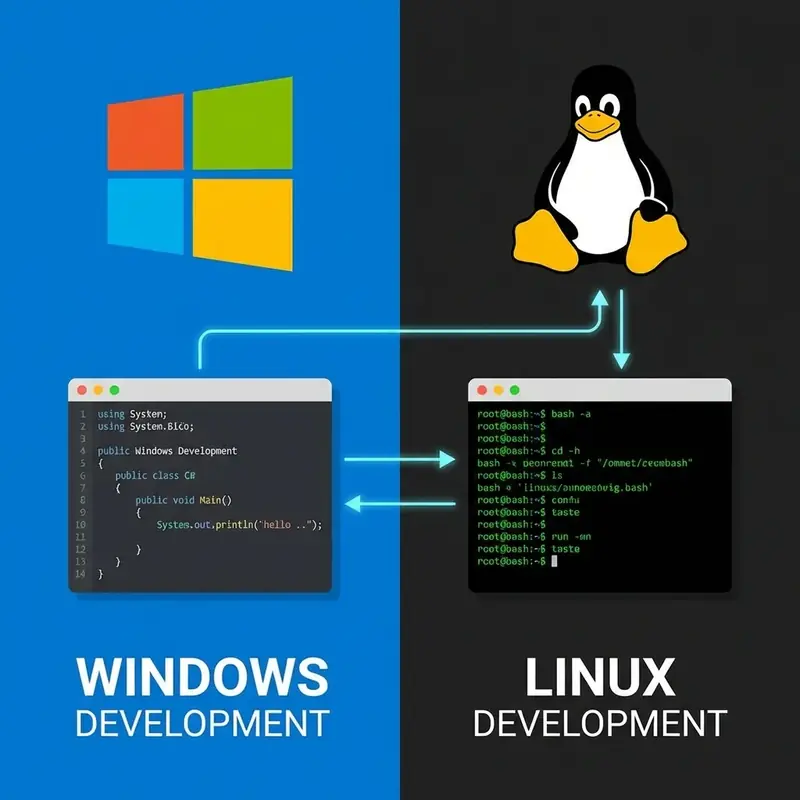
Developer Environments: Windows vs. Linux
From a developer’s viewpoint, the choice of OS shapes tools and workflows. Linux is a free, open source Unix based system where you can inspect and modify everything. It comes with a powerful built in terminal (bash, zsh) and package managers (APT, YUM, Pacman) that make installing compilers, libraries, and services easy. Common dev tools like Git, Python, Ruby, Node.js and Docker are native or easily installed on Linux. For example, setting up a web server or containerized app is usually just a few shell commands away. Linux’s file system supports symbolic links and fine grained permissions, which many developers find more intuitive than Windows’ drive letters and backslashes. Updates on Linux are typically faster and optional, so you won’t be interrupted mid-sprint by forced reboots.
Windows has improved dramatically for developers in recent years. With Windows 10/11, features like virtual desktops and a modern Windows Terminal have made the experience smoother. Critically, Microsoft’s Windows Subsystem for Linux (WSL) lets you run a genuine Linux environment (kernels, shells, tools) side-by-side with Windows GUI. WSL “provides a seamless and productive experience for developers who want to use both Windows and Linux at the same time”. This means on a Windows machine you can natively run bash scripts, Linux package managers, and even full servers like Apache or MySQL as if on a Linux box. For containerized workflows, Docker is now equally supported on Windows; in fact, “if you’re using Docker, development on Windows and Mac feels virtually the same”. Windows still has unique advantages: Visual Studio is the premier IDE for C#, .NET, and Windows desktop apps, and many commercial tools (e.g. Photoshop, SQL Server Management Studio) run only on Windows.
In short, developers can be productive on either OS, and trends show many using both. Windows remains popular for general desktop development, but Linux is popular for backend, DevOps, and cloud-native work. The 2024 StackOverflow survey found Windows had 59.2% share among developer desktops, while Ubuntu Linux reached 27.7%. Importantly, Linux expertise is valued: most web servers, cloud infrastructure, and supercomputers run Linux (as discussed below), so learning Linux tools aligns with industry demands.
Why Many Developers Prefer Linux
Many programmers feel “Linux is the natural habitat” for coding. The open source philosophy means you’re not “shackled by licensing limitations” – you can tweak the system or even contribute to the code. This fosters a deep understanding of how software works. Linux distributions are lean (no bloatware), so performance is snappier, even on older hardware. You can install only the packages you need, and the minimal desktop environments let you focus on code.
The built in development environment on Linux is often superior for many tasks. The powerful terminal plus ubiquitous tools (grep, awk, vim, etc.) make text processing and automation straightforward. Compiling software, running local servers, or scripting repetitive tasks is seamless. Many developers note that on Linux “all your favorite dev tools come pre-installed or are just a package manager away”. For example, installing a new language or database usually only requires a single command (e.g. apt install nodejs). By contrast, Windows historically required manual downloads or installers (though WSL and Chocolatey have improved this). The difference is evident: setting up a full LAMP/LEMP stack on Linux might be minutes of commands, whereas on Windows it used to involve finding binaries or using a heavy VM.
Linux also offers a rich community and documentation. A vibrant ecosystem of forums, StackOverflow answers, open-source projects and distributions means you’re never far from a solution or tutorial. In one author’s words, the Linux ecosystem is “filled with brilliant developers who share this mindset: build things, fix things, document and share them”. Collaboration is embedded in Linux culture – from sharing shell scripts to contributing patches. This community support can significantly speed troubleshooting. Microsoft has recognized this too: for instance, even Microsoft’s Azure cloud now reports more Linux virtual machines than Windows ones, reflecting developer and industry trends.
Even so, Windows has been catching up. With WSL and better tooling, many of Linux’s benefits (bash, Git, etc.) are available on Windows too. But Linux’s core advantages – open-source freedom, stability, and a native Unix-like environment – remain compelling for developers who “live and breathe code”.
Why Servers Run Linux
Most servers powering the internet and the cloud run Linux. The reasons go beyond cost – they touch on stability, security, and flexibility. According to industry surveys, Linux powers the vast majority of web and cloud servers. For example, W3Techs reports that 60% of all websites run on Linux-based servers. On the high-performance end, all of the top 500 supercomputers use Linux. Even more broadly, Linux holds about 63% of the global server OS market. In practice, major companies like Google, Amazon (AWS), and Facebook have always used Linux on their servers. As one expert notes, “Amazon didn’t build AWS on Windows…Every major cloud provider standardized on Linux”, because it “scales to their needs” and supports modern tech (containers, Kubernetes) natively. Microsoft’s own cloud (Azure) now runs more Linux VMs than Windows, confirming that Linux is the default choice for server workloads.
What makes Linux so dominant on servers? Here are the key factors:
- Open Source Flexibility: Because Linux is open source, administrators and developers can customize it down to the kernel. They can strip out unnecessary components or patch things on the fly. This flexibility lets companies tailor servers exactly to their needs without vendor lock-in. As Ascend Cloud Solutions explains, “Linux’s open-source nature is the key: developers can access and modify code to meet their specific requirements”. In practice, that means tweaking networking, security, or performance settings at will – something proprietary OSes simply do not allow.
- Stability and Uptime: Servers need to run 24/7. Linux has a long history of rock-solid stability under load. Many users report Linux servers with years of uptime (some anecdotes cite thousands of days) without a reboot. In contrast, even well-maintained Windows Server often requires frequent reboots for updates. One article notes that a Windows server “will run for a long period before crashing without warning…This isn’t the case with Linux”. High uptime translates to reliable service: in e commerce or critical apps, every minute of downtime can font-family: 'Playfair Display', serif; cost thousands in revenue. In short, Linux is designed so that reboots are planned events (for kernel upgrades) rather than emergency responses.
- Security Model: Linux was designed from the ground up as a multi-user, networked system. Security features like strict permission controls (root vs. user accounts), SELinux/AppArmor, and iptables/firewalls come built in. By default, most Linux services run with limited privileges, reducing the risk of system-wide compromise. Moreover, the open-source model lets anyone review and patch vulnerabilities quickly. Ascend Cloud points out that “any user can find, report or fix a vulnerability. You don’t have to sit around waiting for the vendor”. This rapid ecosystem wide patching is a major advantage – one company noted that when a zero-day hit an application, the Linux patch arrived in <6 hours, whereas Windows took weeks to release a fix.
- Cost Effectiveness: Linux is essentially free (you don’t pay per-server license fees). Enterprises still often pay for support (e.g. Red Hat, SUSE) or for text-secondary; enterprise tools, but the total cost of ownership (TCO) is usually much lower than proprietary solutions. Ascend Cloud observes that “there is such a thing as a free operating system… Linux users get it for free. Even an ‘enterprise version’ has a lower TCO than its proprietary counterpart”. In cloud and large data center environments, licensing savings multiply across hundreds of servers. Moreover, many free (open-source) server applications – from web servers (Apache/Nginx) to databases (MySQL, PostgreSQL) – run on Linux by default, avoiding extra software costs.
- Scalability and Performance: Linux can run on virtually anything, from tiny embedded boards to massive multi-core servers. Its modular design means you can build a minimalistic server (even without a graphical interface) for maximal performance. This versatility is why Linux powers not just servers, but also IoT devices, supercomputers, and more. Its networking stack is mature and robust (a heritage from the Unix days), which is ideal for handling huge numbers of connections in datacenters. Major cloud technologies were built with Linux in mind: Docker containers use Linux kernel features, and Kubernetes was designed for Linux clusters. All this means a piece of software can be developed once and run anywhere – on any Linux server, cloud or on-premises.
- Community and Support: Linux has an enormous support community. Whether it’s official documentation, forums, IRC channels or StackOverflow, chances are someone has encountered your issue. For enterprises, this community is packaged into paid support options (e.g. Red Hat Enterprise Linux or Ubuntu Advantage). Ascend Cloud notes that banks, hospitals, and governments rely on Linux “because Red Hat figured out how to package community innovation with enterprise support”. This combination of cutting-edge features and professional assistance gives companies the confidence to deploy Linux at scale.
- Compatibility and Ecosystem: Linux servers interoperate well with a wide range of hardware and software. Nearly all programming languages and frameworks support Linux. The Wikipedia on usage confirms Linux is the most common OS for web servers, and the top Linux distributions for servers are well-established (Ubuntu, Debian, Red Hat, etc.). Because Linux is so pervasive, training materials, tools, and cloud images are readily available. In practice, this means deploying applications (from simple websites to complex microservices) on Linux is often the path of least resistance.
In summary, Linux is the backbone of today’s server and cloud infrastructure. Its open source flexibility, rock steady reliability, strong security model, and low cost make it the ideal choice for most server workloads. As one article concludes, “Linux is an operating system which keeps many servers running in a flexible, customizable, cost-effective, secure and scalable way… It’s the open-source secret sauce that keeps the lights on – 24/7/365”.
Developer Workflows and the Cloud
The world’s shift to cloud computing and containerization reinforces Linux’s dominance. Developers targeting cloud platforms (AWS, Google Cloud, Azure) usually test on Linux before deployment, since “every major cloud provider standardized on Linux”. Container tools like Docker and orchestration platforms like Kubernetes assume a Linux host by default. Learning Linux on your development machine thus minimizes “it works on my computer” issues. For example, running Docker on native Linux avoids the overhead of a Windows Hyper V layer. This is one reason even Windows-using developers often set up WSL or a Linux VM for testing production-like environments.
That said, Microsoft is taking steps to accommodate developers across platforms. Visual Studio Code, .NET Core, and PowerShell 7 all run on Linux. Tools like WSL make cross-platform work smoother than ever. A developer can use Visual Studio Code on Windows or Linux interchangeably, and benefit from Linux command line utilities on Windows via WSL. For teams, this means a developer can choose their preferred desktop OS (Windows, Linux, or macOS) while targeting Linux servers.
Conclusion
In deciding between Windows and Linux, developers should consider their needs and workflow. Windows offers great GUI tools and broad software compatibility, especially for desktop or .NET development. Linux offers transparency, control, and a developer friendly environment out of the box. Crucially, since Linux dominates server infrastructure, familiarity with Linux tools (shell scripting, package managers, cloud CLI) is highly valuable. For many web, cloud, or DevOps tasks, Linux is simply the default platform.
Ultimately, the best approach is often pragmatic: use the OS that fits the project. You might code on Windows (even using WSL), but trust Linux for deploying your server. The modern ecosystem makes it easier to leverage both: one-click Linux VMs in the cloud, cross-platform frameworks, and compatibility layers mean your code can thrive on Linux servers even if you develop on Windows. Whichever you choose, understanding the strengths of both systems will make you a more versatile developer – and keep your applications running smoothly, wherever they deploy.