Programming is all around us, powering the apps and websites we use every day. With technology touching almost every industry, learning to code can open doors in many fields. Fortunately, programming is no longer just for specialized engineers – anyone can learn the basics with the right approach. In fact, there are over 31 million software developers worldwide, and that number is growing. If you’re eager to join their ranks, this guide will walk you through starting your programming journey in a clear, step-by-step roadmap.
Understanding the Basics of Programming
First, let’s clarify what programming means. Simply put, programming is the process of creating a set of instructions for the computer to execute. Coding is the act of writing those instructions in a language the computer can understand. Think of it like writing a recipe: programming is planning the steps, and coding is writing them out exactly. Because this can feel overwhelming at first, focus on the core concepts and start with small examples to build your understanding gradually.
Choosing Your First Programming Language
One of the first decisions is which language to learn. The best beginner languages have clear syntax and lots of learning resources. Python and JavaScript are top recommendations. Python’s code reads a lot like English, making it easy for newcomers to understand. JavaScript is the key language of the web and lets you see immediate results in your browser. Other beginner-friendly choices include Java or Ruby, but they can feel more complex at first. Ultimately, the language you choose matters less than simply practicing regularly – every experienced coder started by learning one language and eventually picked up others.
Setting Up Your Coding Environment
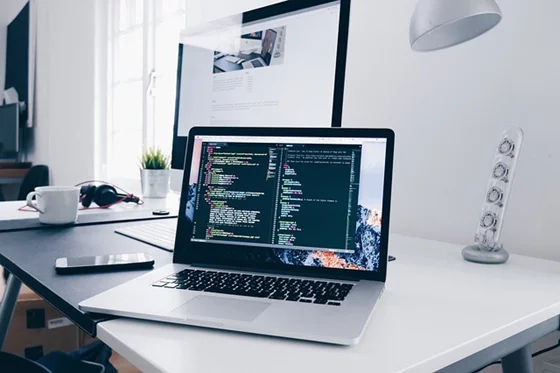
Before writing code, set up a good development environment. This means installing a code editor or IDE (Integrated Development Environment) on your computer. Popular free editors include Visual Studio Code or Atom. A good editor highlights syntax (keywords, variables, etc.) and can check your work as you type. You should also install version control tools like Git and create a GitHub account, so you can save and share your projects. Having these tools ready makes coding less frustrating and more efficient.
Learning Fundamental Concepts
Now it’s time to learn the core concepts that all programmers use. Start by understanding variables and data types, which are like named containers that hold information (numbers, text, etc.). Learn about conditional logic (if/else statements) so your code can make decisions – for example, “if it’s raining, use an umbrella; otherwise, stay dry.” Practice loops (like for or while loops) to repeat actions efficiently. Finally, get comfortable with functions, which let you package code into reusable blocks. Working through these fundamentals will give you a strong foundation and prepare you for bigger projects.
Writing Your First Program
Once you have the basics down, write a simple program to tie it all together. A classic first program is printing “Hello, World!” on the screen. This simple script verifies that your tools are working and lets you see the full process: writing code, running it, and getting output.
After that, gradually add complexity. For example, try creating a basic calculator program or a small to-do list app. These projects might perform calculations or respond to user input. Remember, the goal isn’t to be perfect — making mistakes and debugging is a normal part of learning. Each small program you build reinforces what you’ve learned.
Beginner’s Roadmap Summary
To recap, here is a simple step-by-step roadmap you can follow:
- Choose a language. Pick an easy language like Python or JavaScript to get started.
- Install tools. Download a code editor (e.g. VS Code) and set up Git/GitHub.
- Learn core concepts. Practice variables, loops, conditionals, and functions.
- Write simple programs. Create a “Hello World!” script, then build small apps (a calculator, a simple webpage, etc.).
- Practice regularly. Solve coding exercises and puzzles on platforms like freeCodeCamp or HackerRank.
- Use learning resources. Take free tutorials and courses (Codecademy, Khan Academy, edX).
- Join communities. Share your code on GitHub or StackOverflow, and ask questions on Reddit or Dev.to.
Following these steps consistently will build your skills. Remember, everyone learns at their own pace, so focus on steady progress and don’t rush.
Practicing with Projects and Challenges
Learning by doing is crucial. As you follow the roadmap, create small projects that interest you. For example, build a personal website, a simple game, or a data calculator – whatever keeps you engaged. Each project reinforces what you’ve learned and teaches new skills. You can also improve by completing coding challenges and puzzles online. Platforms like Codewars, HackerRank, or Project Euler offer problems of varying difficulty. They allow you to apply your knowledge in new ways and learn from others’ solutions.
Useful Resources and Communities
Countless free resources are available to help beginners. Websites like freeCodeCamp and Codecademy offer guided tutorials and exercises. Educational platforms like Khan Academy and edX provide structured courses. YouTube is also full of video tutorials on virtually every language and topic. Online communities can answer questions, give feedback, and keep you motivated. Join forums or chat groups (like Discord or Slack), follow coding blogs, and connect on social media. For example, GitHub Discussions, Dev.to, and Reddit’s programming subreddits are great places to ask questions and learn from others.
Staying Motivated and Moving Forward
Learning to code is a marathon, not a sprint. You will face challenges and moments of frustration, but persistence pays off. Don’t be discouraged by mistakes – they are part of the learning process. Instead, set small, achievable goals and celebrate when you reach them. Keep a coding journal to track what you learn each day, and build a simple portfolio to showcase your projects. If you ever feel stuck, remember that asking for help is okay – experienced developers often enjoy helping beginners.
Remember: every expert coder started as a beginner. With regular practice and a problem-solving mindset, your skills will improve. The tech community supports lifelong learning, so stay curious and keep building. Your programming journey is just beginning – take the first step today and enjoy the adventure!
Next step: Pick one language (Python or JavaScript), install VS Code, and build a tiny project this week. Small wins compound fast.